
Check out this month's update to Xperience by Kentico, which brings quality of life improvements to AIRA and content management experiences, along with some exciting updates to KentiCopilot and new agentic software development tools for Xperience by Kentico.
Fine-grained content promotion with Content sync detailed selection
Xperience by Kentico's content authoring tools give marketers confidence to create and modify content-driven experiences directly in their production environments:
Content reuse locator to track content use across channels
Easy to use Page Builder and Email Builder
For some organizations, the size of campaigns or compliance requirements dictate that content is authored in a pre-production (e.g. QA) environment and then promoted to production after a review.
This is exactly why Xperience by Kentico has content synchronization.
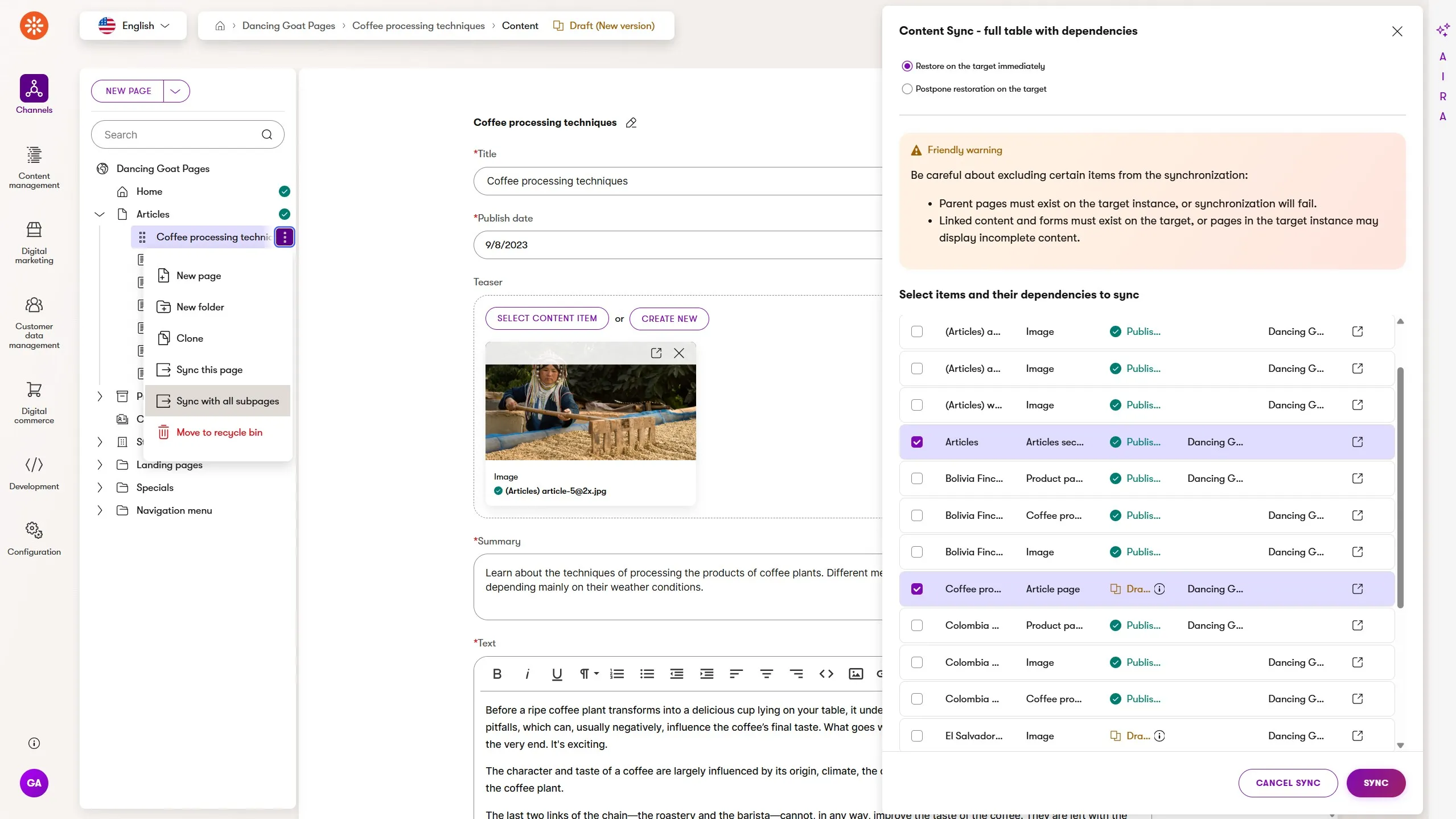
Content sync has always had an intelligent understanding of the relationships between content - web pages, reusable content items, and even individual image assets - automatically including all related content in the sync operation of a selected set of items. This ensured a sync didn't miss required content or create a broken customer experience in production.
Now, content synchronization detailed selection gives marketers fine-grained control over the sync operation, allowing multiple authors to work on related content in different stages of readiness and know exactly what will be synced to production.
The high-level content sync dialog is still the default experience and the detailed selection view is available when you need to drill down into each piece of content related to the items you explicitly sync.
Don't worry, the associated tags, taxonomies, content folders, and asset files are always included automatically, even in detailed selection mode. More control without unnecessary complexity!
Better content authoring coordination with overwrite protection
As mentioned, content publishing workflows help coordinate content editing responsibilities and quality gates.
When used with AIRA's Content Strategist and SEO/GEO Specialist, marketing teams will be confident updates to customer messaging are optimized for search, follow brand guidelines, and have been reviewed before publishing.
Imagine this scenario:
Marko and Daniella both begin editing an existing web page, already in Draft, at the same time. Marko quickly updates the page taxonomy tags and saves his changes to preview the content before moving it to the next workflow step.
Daniella was working on refining the content message and updating some image assets. Her changes don't have Marko's tag updates. When she finally saves her changes, her update overwrites the change Marko made without either of them realizing what happened until they look at the page's version history.
They lose confidence in their ability to collaborate and their workflow slows down.
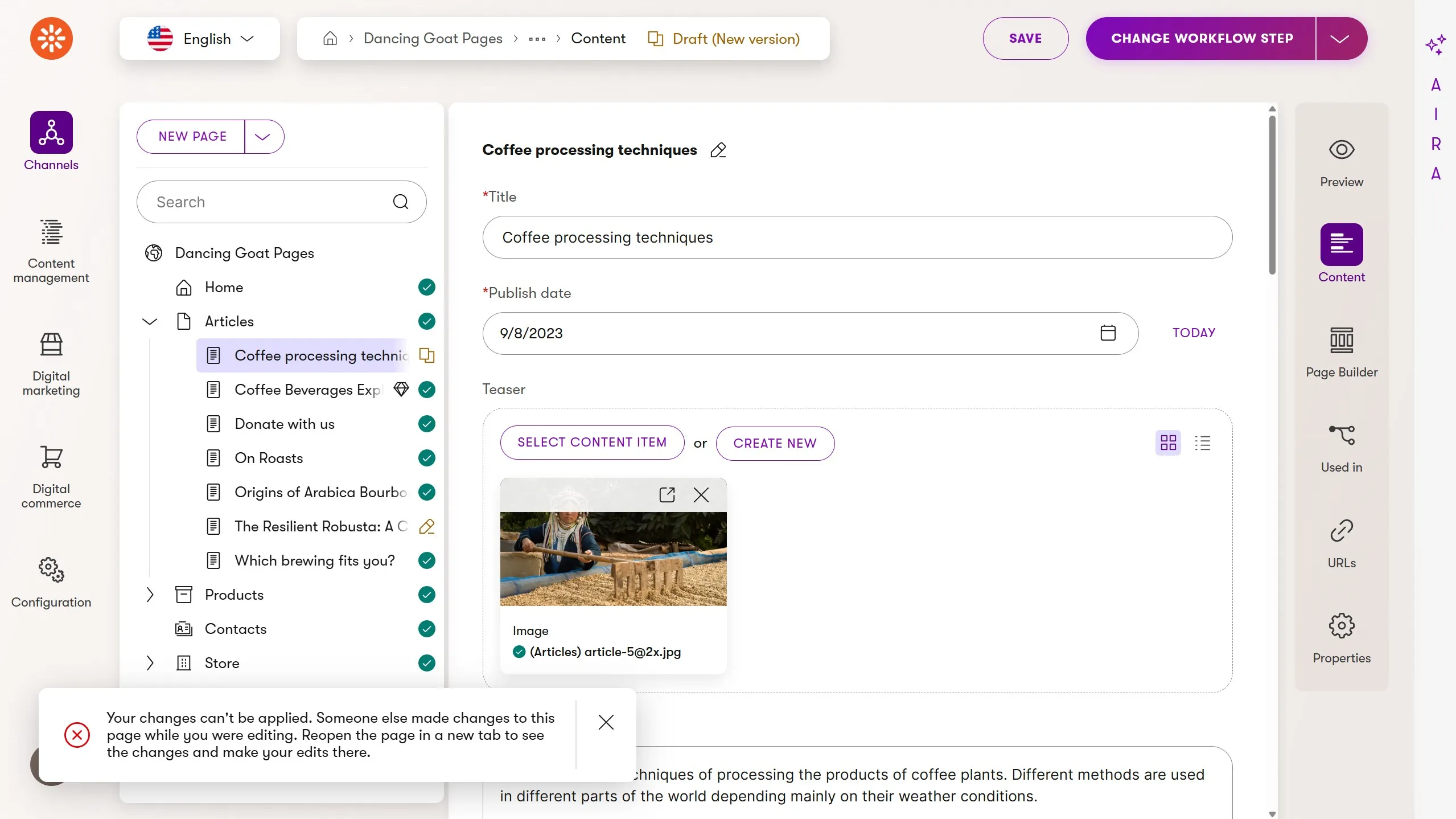
To help marketers avoid this scenario, we're working content locking which we plan to deliver in an upcoming Refresh. Until then, we've introduced content overwrite protection.
Overwrite protection displays a warning message to Daniella, telling her that her version of the content is out of date, because it was updated after she began editing, and it prevents her from saving those changes
From here she can:
- Open the content item in a new tab and view its version history to see that Marko made a recent change.
- Copy her edits over to the more recent version, which includes Marko's tag updates.
- Save her changes and move the content to the next step in the team's publishing workflow.
Overwrite protection helps teams avoid accidentally losing valuable content changes by adding a layer of coordination checks into the authoring workflow.
Improving AIRA content writing assistance with deeper context
Marketers use AIRA's content generation and refinements to make quick updates to content based on simple prompts and contextual hints.
The individual fields of content types can enable the content generation feature which reveals the AIRA content generation icon for the field in the content item form.
Those same fields can also become context for the content generation, using helpful prompts to give AIRA an understanding of the relevance of the content item's existing content has for the generation of new content.
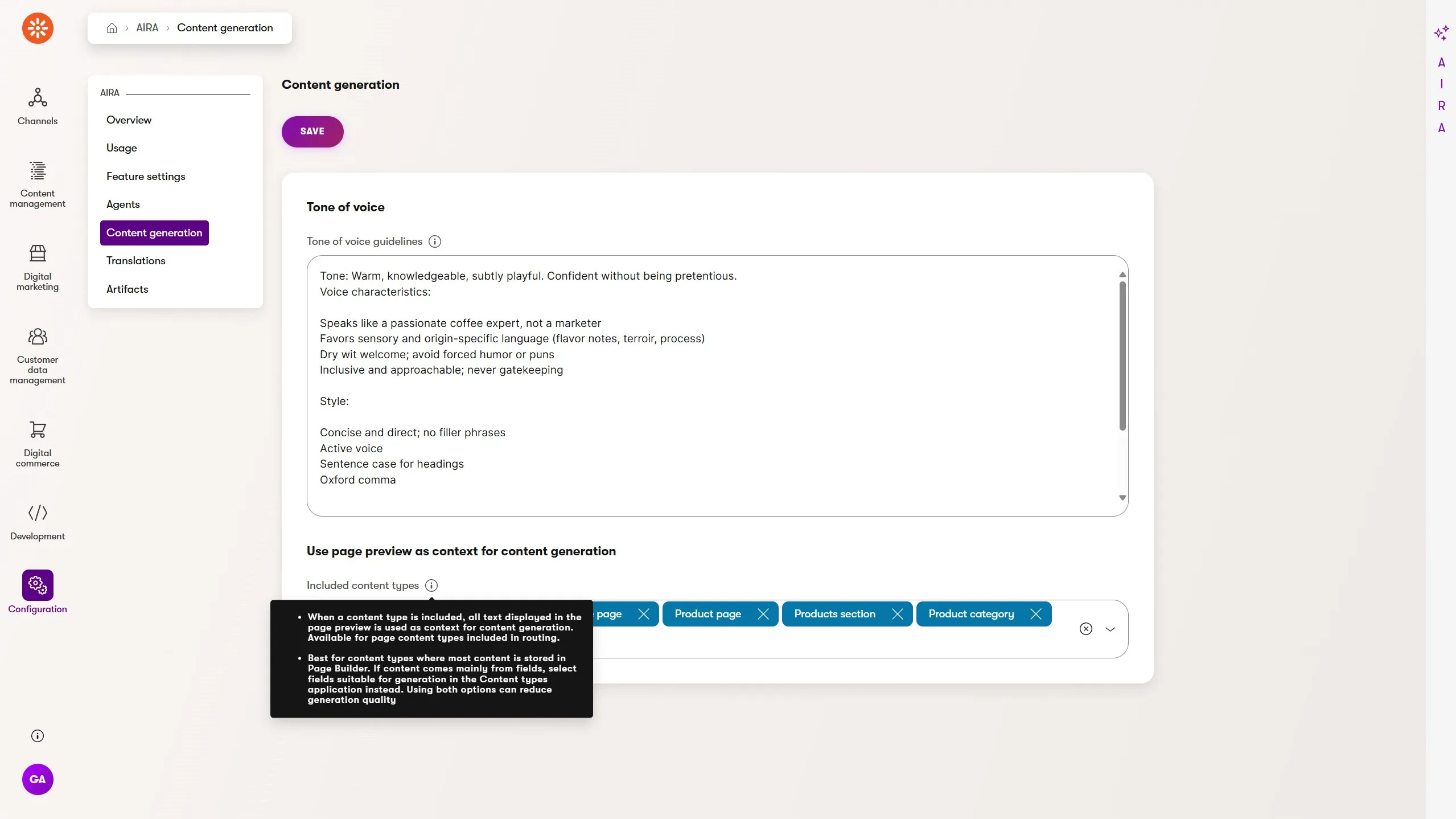
Given the importance of context in the output of agentic workflows, we increased the sources of context for AIRA's content generation.
Marketers can configure specific web page content types in AIRA's settings to use the actual rendered web page as a source of context for content generation. This is particularly helpful with web pages primarily built using Page Builder, but with title or summary text in structured fields, such as an article with an SEO description.
Additionally, for content that has some of its semantic meaning defined in the items it is linked to, AIRA's content generation also uses the fields of the first level of linked items for context.
An example of this feature would be an article author modeled as an author content item linked from the article. AIRA would use the author's name and bio as context for the article description if the author fields were enabled as context sources.
Faster time to market with AIRA's Campaign Manager
Campaigns allow marketers to:
Logically group digital assets
Describe the purpose of the assets with a goal, audience, and KPIs through a campaign brief
Automatically track the impact on conversions with an associated customer journey
Analyze and report on the success KPIs with campaign reports
Since their appearance in Xperience by Kentico, the campaigns application and Campaign Manager agent have continued to expand in capabilities and this Refresh is another step in evolving these features.
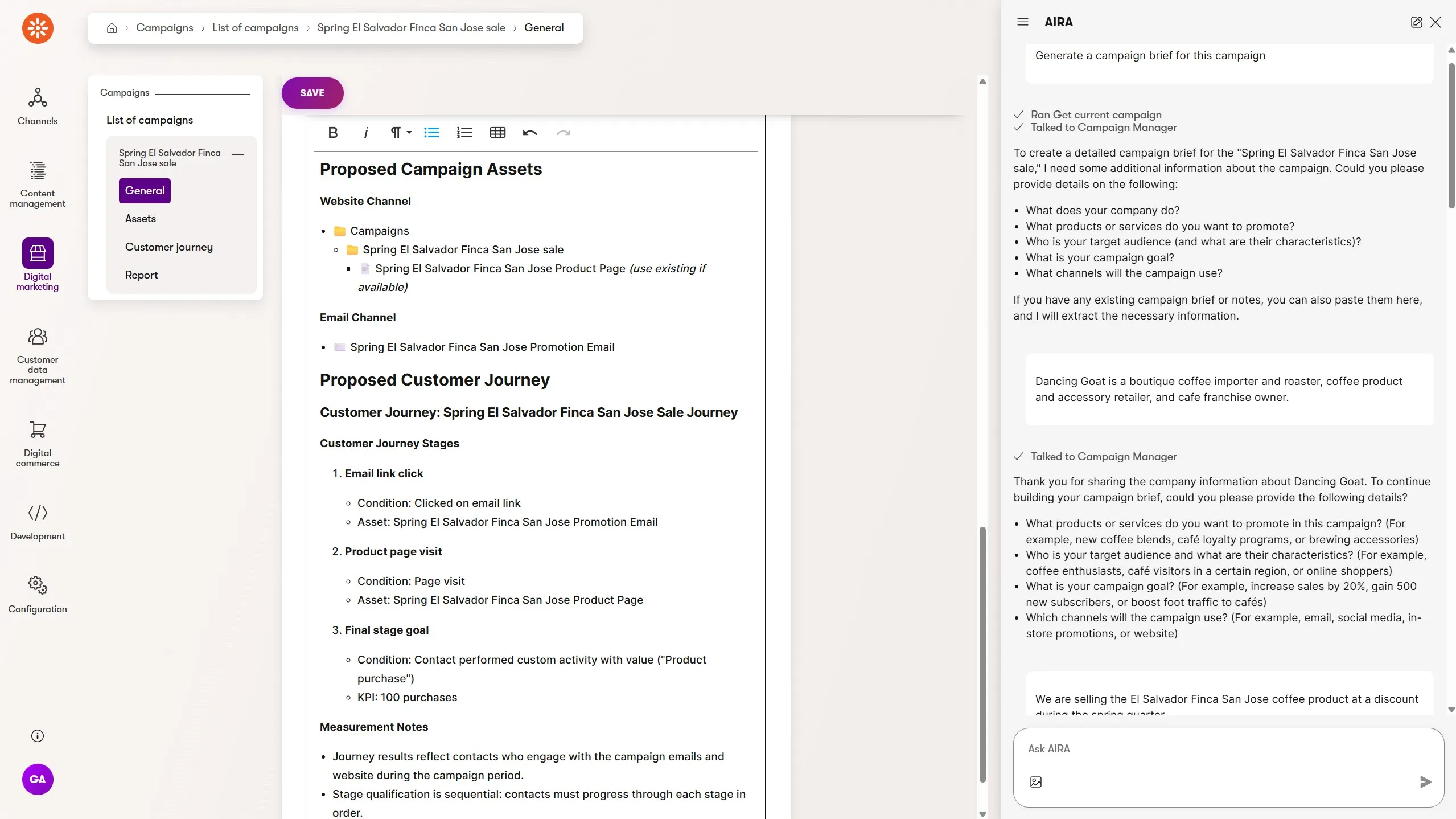
When marketers create a campaign they can now prompt the Campaign Manager to help them author the campaign brief. The agent will ask a series of questions, targeting topics like brand, goals, audiences, KPIs, channels, and messaging. The answers to these questions are restructured into a campaign brief format and displayed in rich text.
This output can be pasted into the campaign brief field, which now supports rich text, or copied as markdown to hand off to an external agent for campaign tasks outside of Xperience.
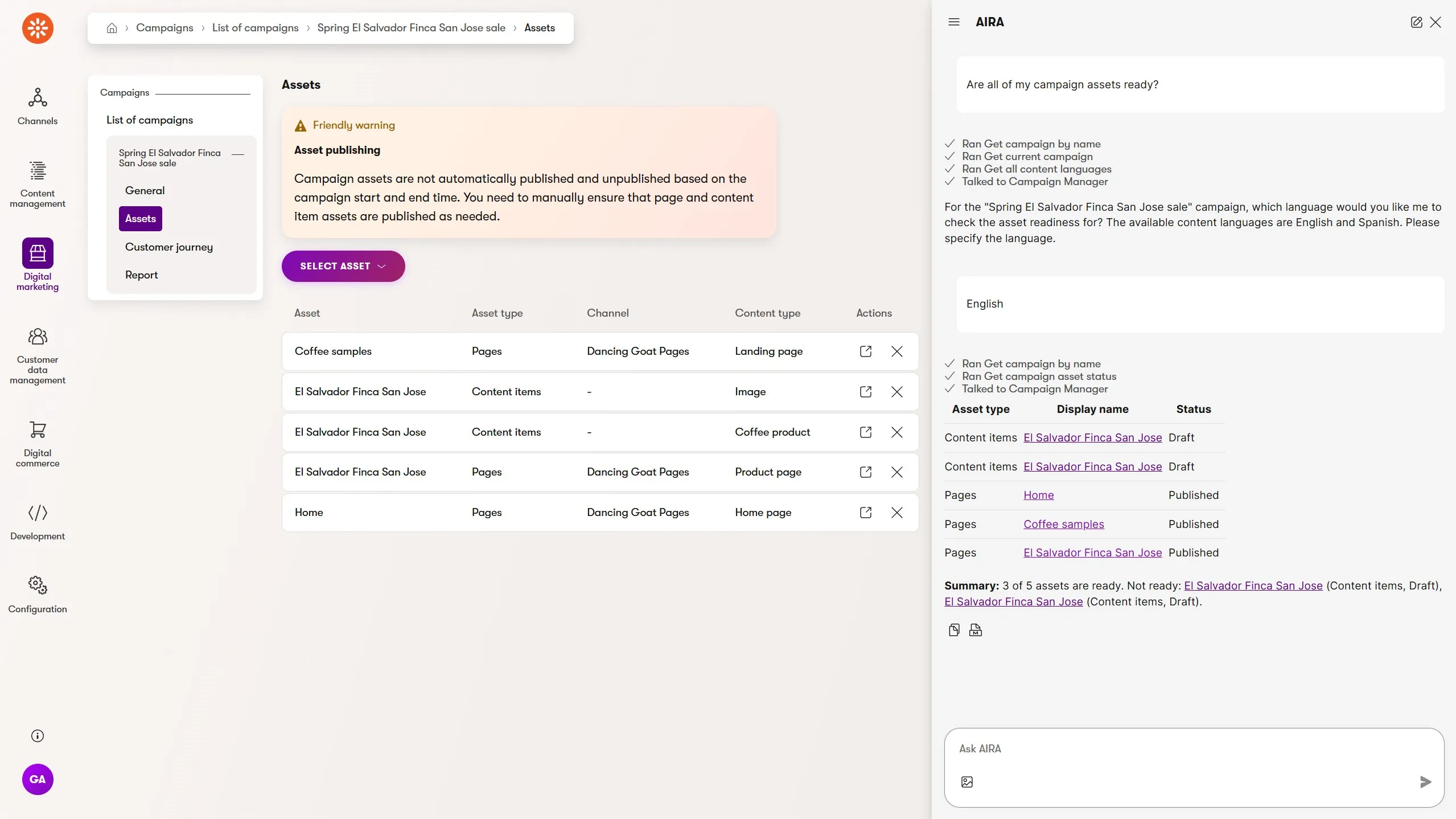
Marketers can also ask the Campaign Manager about the status of the content assets assigned to the campaign - specifically their publish state - and the status of automations.
If a campaign is linked to assets translated into multiple languages using AIRA's translations, the Campaign Manager can tell you about the individual publish state of each language variant. This helps marketers identify something that's often easy to miss - unpublished content changes across a large, multi-channel and multilingual campaign.
More powerful agentic development with KentiCopilot tools and skills
This month we have several updates to KentiCopilot, improving agentic tools and context across Xperience by Kentico's APIs and product features.
Page Builder support for the Management API
Xperience by Kentico's Management API and MCP server have gradually been expanded in scope over the past six months since it was initially released in the November 2025 Refresh.
It has supported:
Retrieval and management of content types and reusable field schemas.
- Only content types used for Pages and Reusable content are currently supported.
Retrieval and management of workspaces.
Retrieval and management of languages.
Retrieval of information about UI form components and data types for fields.
Retrieval and management of taxonomies and tags.
This enables many use cases around content modeling and type creation, but has left out key content management scenarios which are important for agentic development of Xperience projects.
May's Refresh adds the following capabilities to the Management API:
Retrieval and management of Page Builder components (widgets, sections, and page templates) and Page Builder data on pages.
Management of page templates is limited to retrieval only. Page preset templates are not supported.
Page template filtering is only supported through the
ContentTypeNamesproperty of theRegisterPageTemplateattribute. CustomIPageTemplateFilterimplementations are not reflected by the management API.
What kind of agentic software development tasks do these tools and context unlock?
Now, using KentiCopilot skill plugins, agents can autonomously iterate on the full lifecycle of widget creation:
Collect component requirements
Create required content types and taxonomies
Create widget code
Add a widget to an existing page
Validate all widget property combinations render the expected HTML
Use a tool like the Chrome Devtools MCP server, confirm widgets render correctly
This process can also be applied to fixing widget rendering bugs or regressions, introduced through content model evolution or design system updates.
We recommend developers begin exploring these opportunities today because even more agentic development workflows will be enabled with our planned content management additions to the Management API and MCP server.
CD repository.config configuration skills
Leading agency teams universally recommend using Xperience's CI/CD features for project development and delivery, but defining the correct CD repository filters for every deployment can be intimidating for developers new to Xperience or a specific project. It can also be difficult to manage when preparing deployments from multiple contributors.
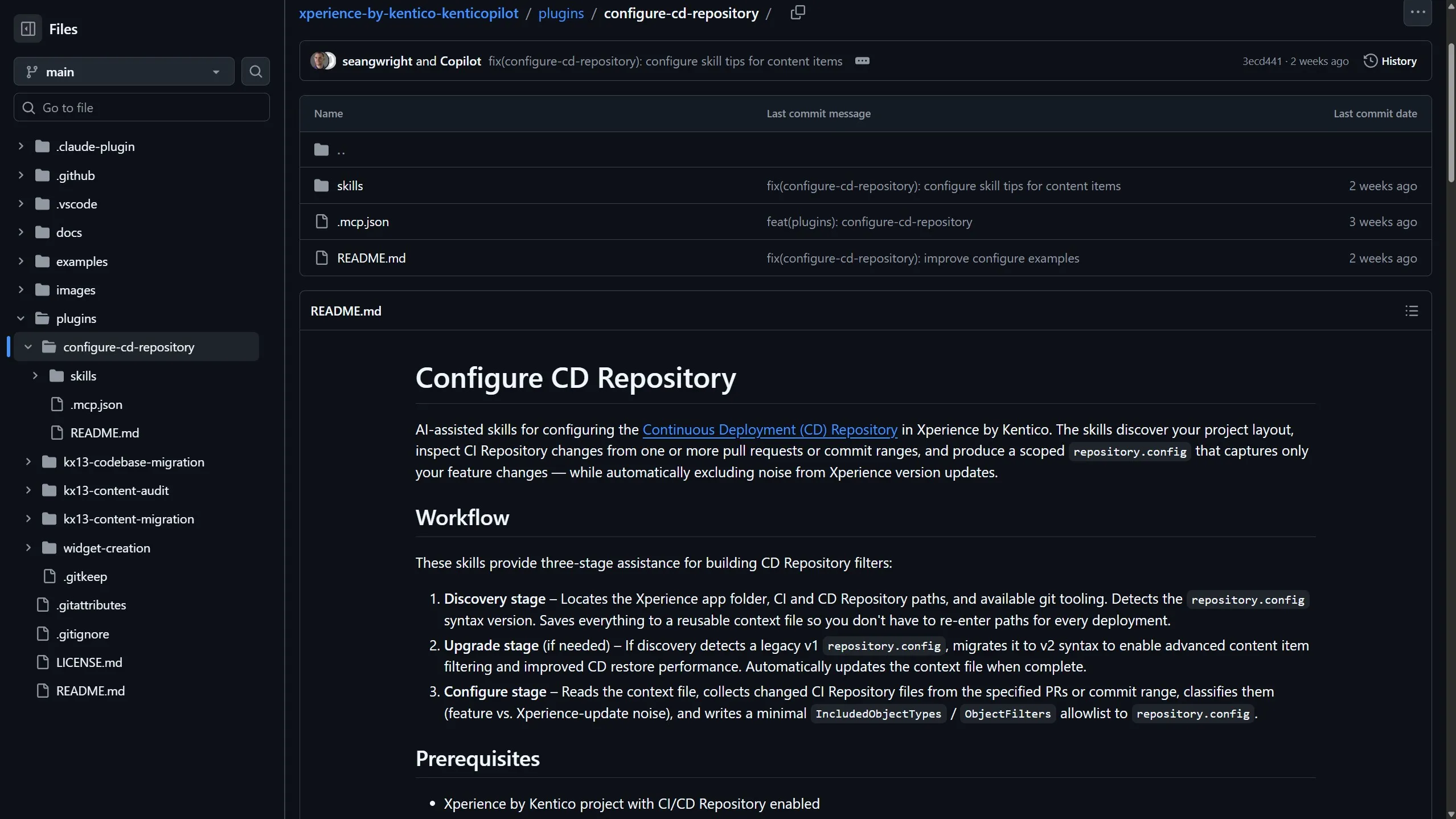
A new plugin has been published to the KentiCopilot marketplace that helps agents auto-configure CD repository.config files for developers based on git history.
The skills in the plugin ensure the project's repository.config file is upgraded to the v2 file syntax, identify which content and object type changes are relevant based on CI repository updates, while also excluding those related updates to Xperience itself.
Try it out and let us know how it simplifies and speeds up your deployment process.
Administration UI component context for agents
Xperience by Kentico's administration UI architecture is designed with extensibility in mind:
Page extenders to enhance built-in pages
Page commands to access server-side behavior and data
Custom React components for rich client experiences
npm package of pre-built components for composition
End-to-end (E2E) test automation support
Teams can use this extensibility to adapt Xperience's existing UI to match existing administration and marketing workflows, or model unique systems communications and data processing with the same UI patterns teams are already familiar with.
As agentic software development becomes the norm, getting AI agents the context they need to use these tools is just as important as the tools themselves.
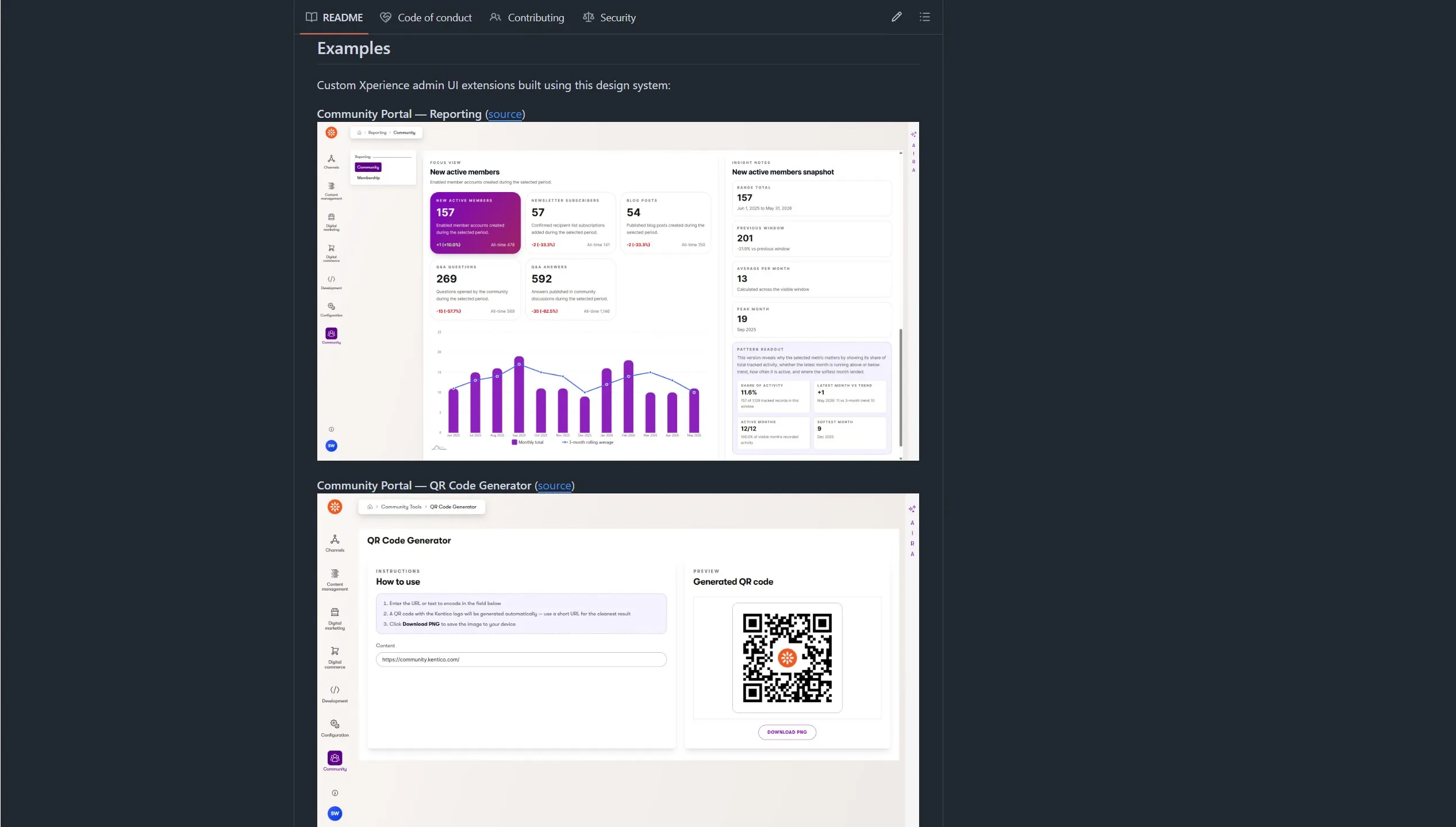
To help developers and their agents get the most out of our administration UI extensibility, we created an open-source component reference project - Xperience by Kentico: Admin Design Components.
This project is a core part of KentiCopilot and helps AI agents extend Xperience by Kentico's administration UI:
- Reference for
@kentico/xperience-admin-components: agents can browse source, types, stories, and screenshots to understand how the official packaged components work, how their rendered HTML is structured, and when to reach for them. - Design token system: it contains CSS custom properties used in the admin UI. Agents can reference these tokens when building custom layouts with your own React components that must match Xperience's visual design.
- Copy-on-demand: When Xperience's components npm package doesn't cover your use-case, agents can copy component source files directly into your project.
The project also links to examples where it was used to extend the administration UI in our open-source integrations.
What's next?
As always, check out our documentation Changelog for the full Refresh feature and technical details.
We hope these capabilities, features, and API improvements unlock solutions for you. Try them out and let us know 👋 what you think.
What's planned for the next Refresh?
KentiCopilot: Content Creation support for Management MCP Server (Management API Extension), expanding agentic development workflows so developers can create and manage content via the Management MCP Server.
Improved DNS Management & Diagnostics, enhancing custom domain setup, validation, and troubleshooting in Xperience Portal.
Marketing Automation Extensibility - Custom Actions, enabling developers to deliver configurable custom automation actions for marketers.
These updates will, as always, accompany a number of UX and developer-focused improvements.
Check back soon for the next Xperience by Kentico Refresh review!
For the technical audience, this Refresh is represented by v31.5.0 of Xperience by Kentico.

Kentico Community
The Kentico Community