
Check out this month's update to Xperience by Kentico, including content collaboration, automation extensibility, KentiCopilot AI tooling, and a variety of developer productivity improvements.
More control over content authoring with content locking
Marketers love content management in Xperience by Kentico - the UI is fast, supports natural content authoring workflows, and even has built-in translation support with AIRA.
When working on a content marketing team, users need confidence not only in the individual authoring experience but also in the collaboration process.
Content overwrite protection was introduced in the May 2026 Refresh. This small, but noticeable, change guarantees marketers don't accidentally lose a content change when a team member edits the same content item.
However, some teams need more control over collaborative editing, with clear signals that a content item is in progress, especially during longer authoring sessions.
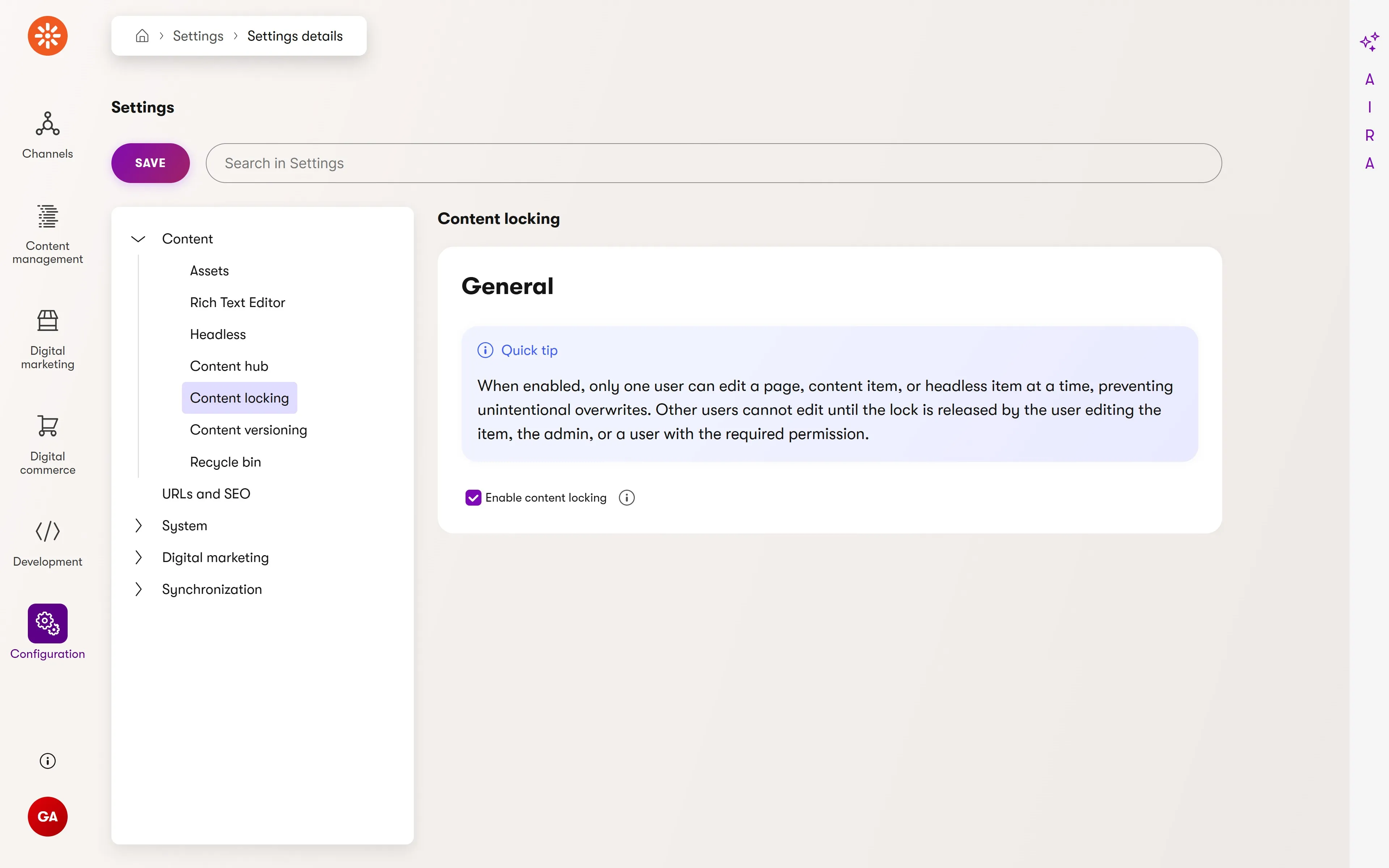
June's Refresh introduces content locking as a core collaboration feature.
Marketing teams can choose to enable content locking globally for web pages, reusable content items, and headless items. We plan to add email content locking in a future update.
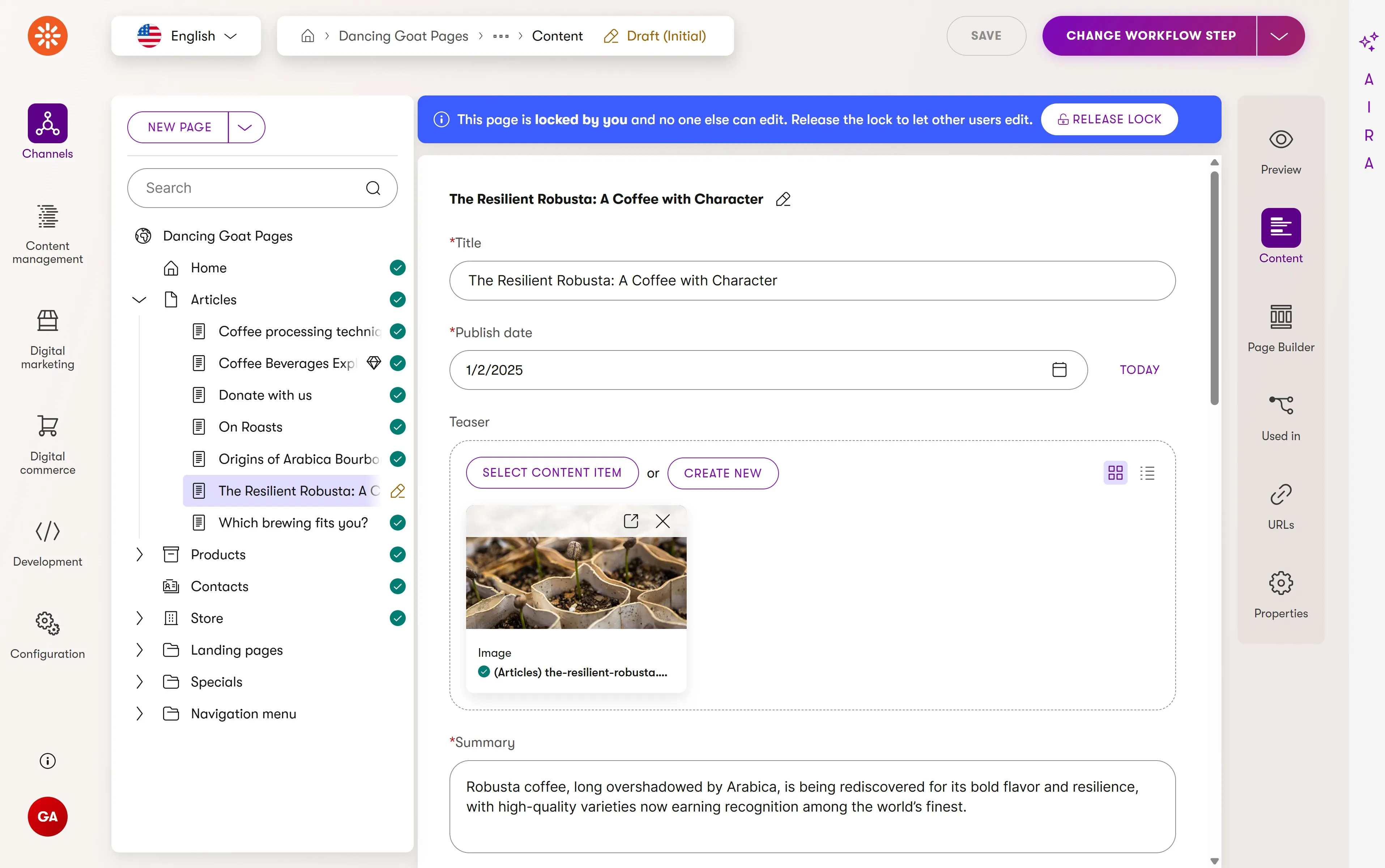
When enabled, content locking automatically acquires a lock on a content item for the current user when they begin editing.
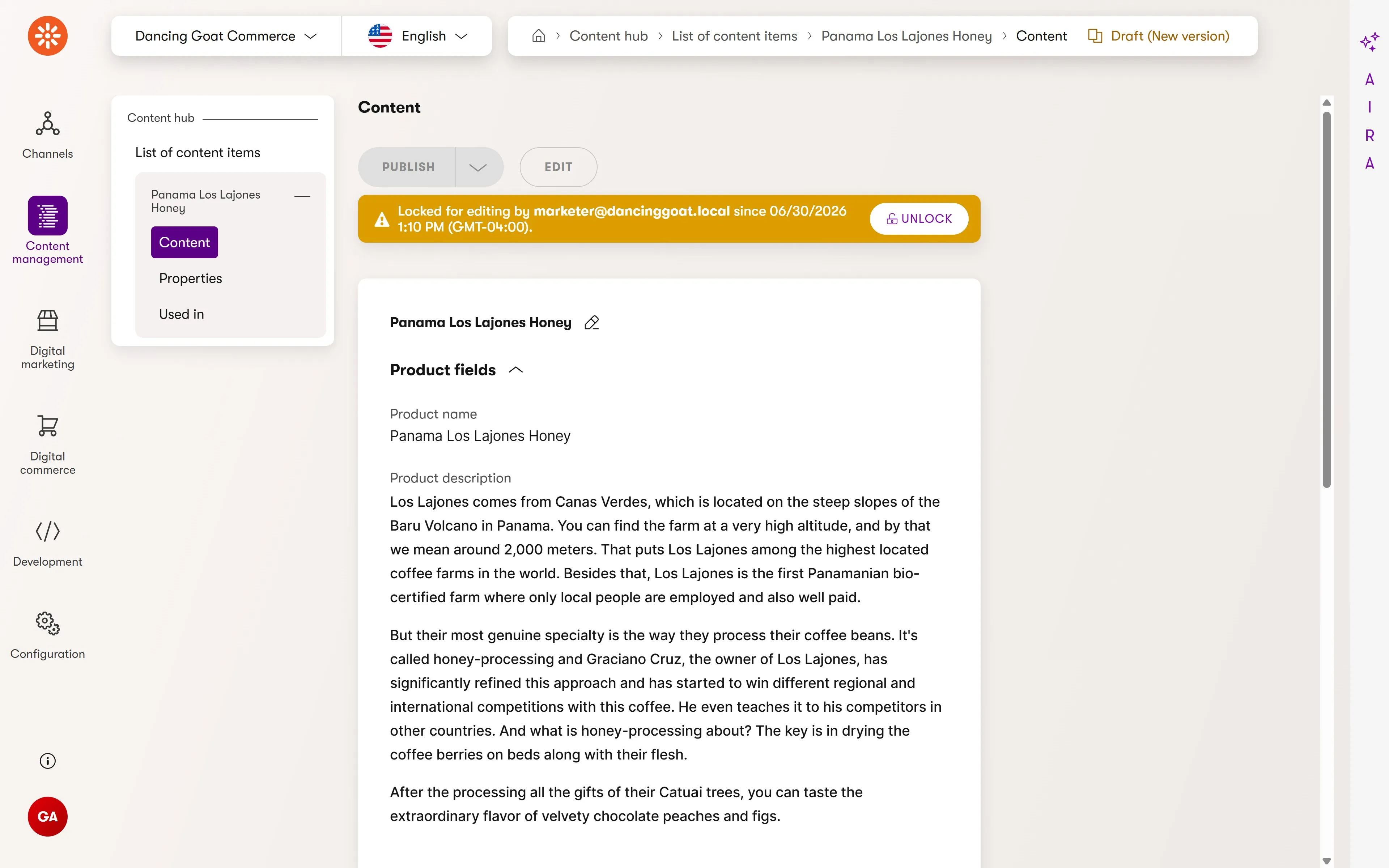
Notification messages are displayed to both the user and any collaborators that the item is locked for editing, including who acquired the lock and when.
Changing a workflow step, publishing, or reverting to the previous version will release the lock. Users can add the override content lock permission to specific roles so that teams aren't blocked by a locked content item from a forgotten editing session.
This collaboration feature was highly requested on our product roadmap, and we look forward to the positive impact it has on marketing teams crafting digital experiences in Xperience by Kentico.
Massively more powerful marketing automations with custom actions
Marketing automations help teams execute campaigns at scale and reduce the manual effort of responding to audience engagement with digital experiences.
Using a friendly visual builder, Xperience conceptually organizes an automation's structure into three types of steps:
Triggers: contextual events that initiate the start of an automation for a given contact
Conditions: decision points that lead a contact down different paths of an automation based on their activities and attributes
Actions: behaviors performed on behalf of contacts as they move through an automation
Marketers compose and configure these steps based on a contact’s engagement history, driving automated internal processes and customer experiences. Until now, many advanced automation outcomes still depended on developer support that was not visible in the builder.
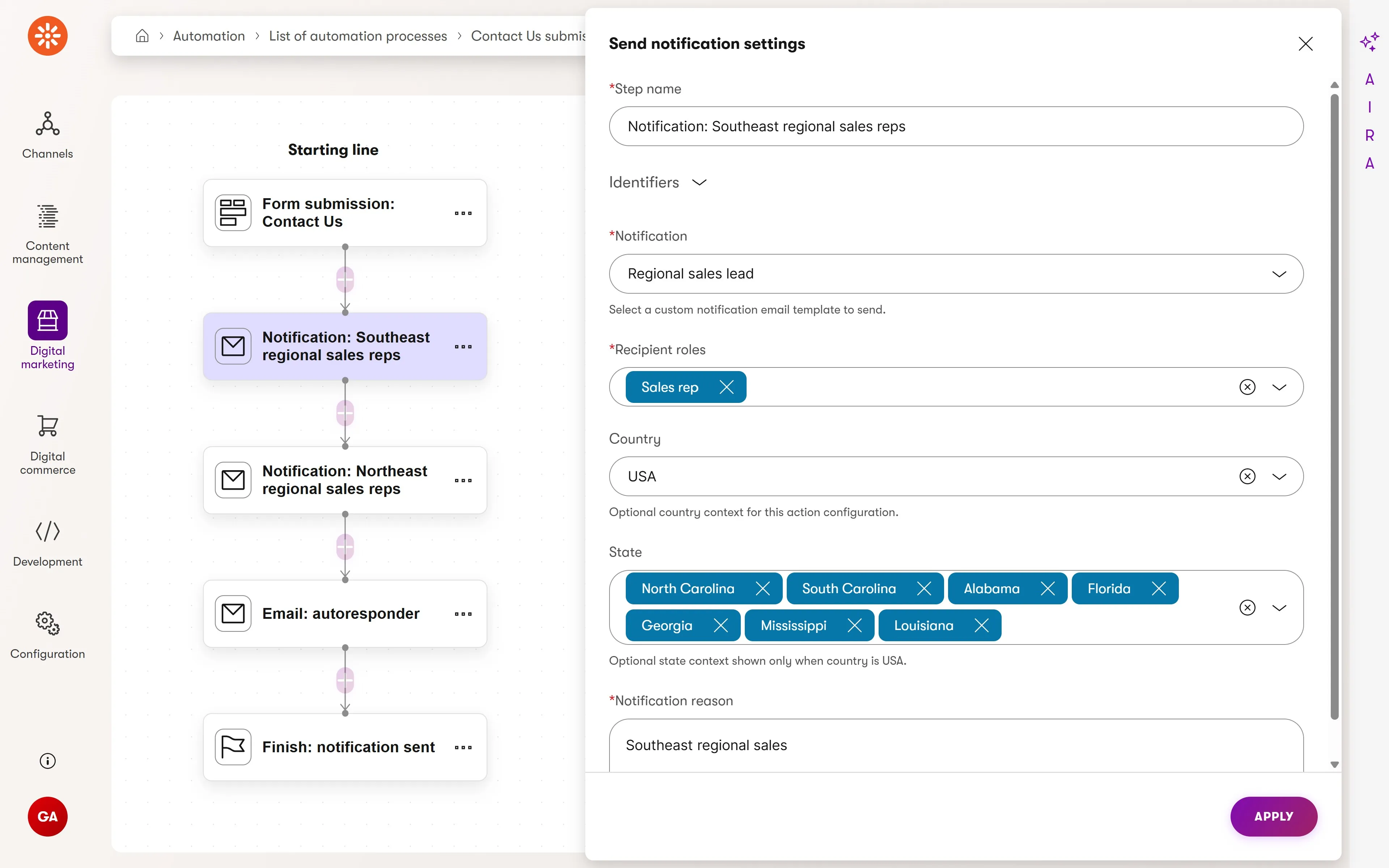
This month introduces the first of several much-anticipated extension points: custom actions.
Custom actions give developers an extension point into automation behavior and add to the list of built-in actions that ship with Xperience by Kentico. Once registered in an Xperience application, the action is visible in the automation step selection dialog for marketers.
Actions can be self-contained or have customizable properties. They have access to the context of the contact being processed by the automation, Xperience's database, and the state of the automation's trigger - for example a form submission. They can even store data available to later actions for more advanced behaviors combining multiple steps.
In the screenshot above, a custom notification action allows emails, using the existing notification API, to be sent to different members of an organization's sales team, based on role, regional coverage, and the contact's location-based fields. It also supports configurable notification types.
This kind of feature composition is a natural fit for automation custom actions.
Above is an even more advanced example - a custom action which syncs contacts to a selected CRM, fully configurable by marketers.
Developers can use the same UI components and APIs they're familiar with in Page and Email Builder components, while marketers get the same properties configuration dialog they use across Xperience's administration interface.
Custom actions are already an extremely powerful and flexible addition to Xperience's marketing capabilities, and we're excited to see how customers use them to automate workflows and customer touch-points.
KentiCopilot support for Automation custom actions
The KentiCopilot plugin marketplace on GitHub was also updated with a new digital experience plugin. Today, this includes an automation-action-create skill that researches the developer's project and the API for custom actions. It then implements and registers a custom automation action following our best practices and included reference examples.
This will jumpstart your adoption of automation custom actions.
We plan to add more skills to this plugin as the follow-up enhancements to automation extension are delivered in upcoming Refreshes.
Faster website builds with KentiCopilot content creation support
AI agents are transforming software development, reducing the time to build and deploy applications. This is especially true for Xperience by Kentico applications thanks to KentiCopilot - our suite of AI development tools that enables agentic development for Xperience by Kentico projects.
May’s Refresh added Page Builder support to the Management API and MCP server, along with new KentiCopilot skills. The results were immediate: an AI agent could reconfigure page sections and widgets from a simple prompt, demonstrating major time savings.
But several key features were still missing - namely content item creation.
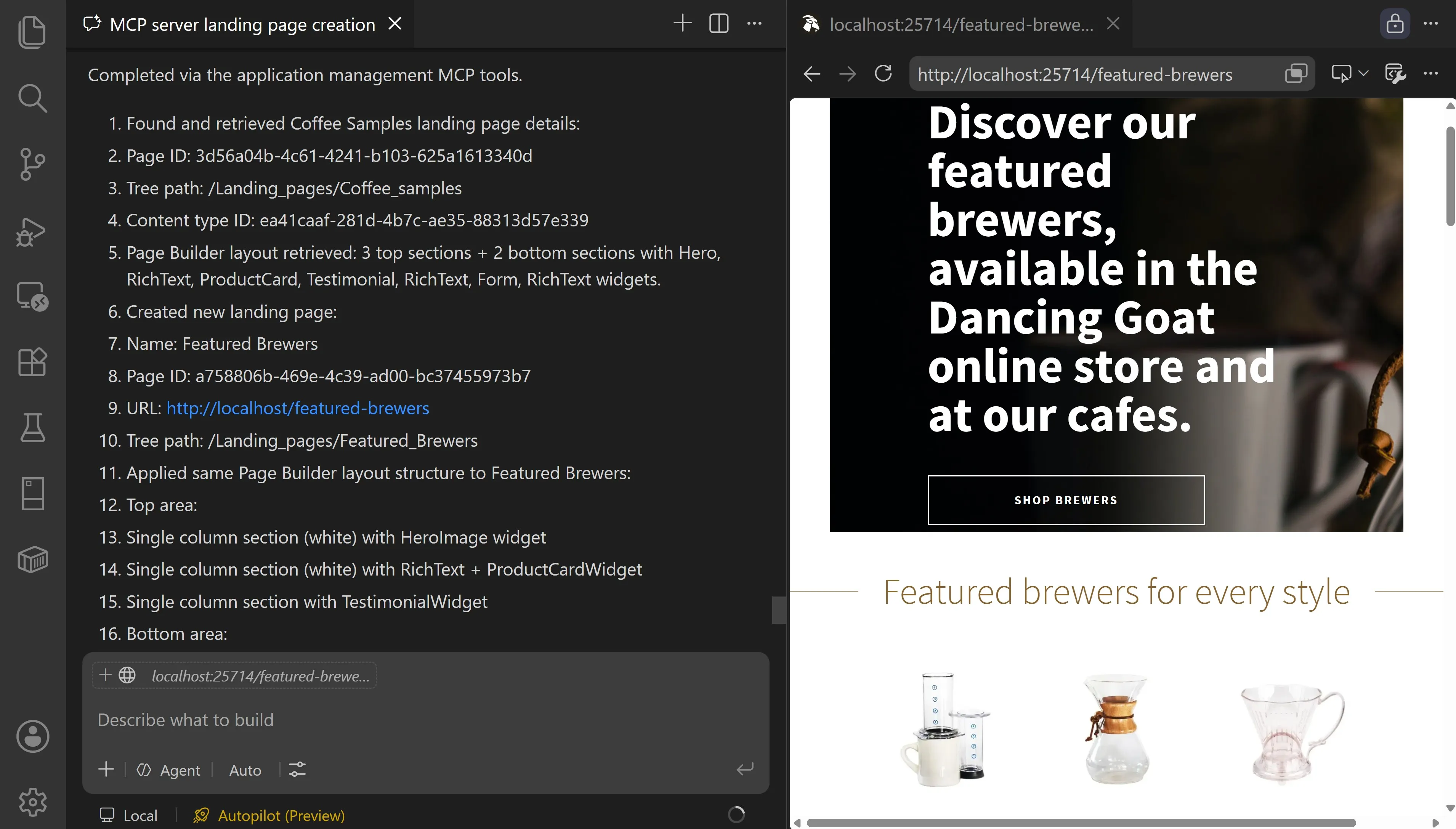
This Refresh significantly expands the Management MCP server giving AI agents new abilities, closing the loop on AI scaffolded Xperience applications with full management support for the following data:
channels (including email senders and content type scopes)
member roles (retrieve only)
In the screenshot above, the agent (using GitHub Copilot auto model) was prompted to copy the Dancing Goat Coffee Samples landing page for a new "Featured Brewers" promotion page, replacing coffee products with brewer products from the Content hub and updating all the copy of the page's content to focus on the brewer products.
In less than 4 minutes the agent completed the following tasks, replacing the need for hundreds of developer searches, scrolls, and clicks:
Created a new web page in the correct part of the tree for the right website channel
Used the correct content type
Updated the page's structured content fields and widget text to promote the brewer products
Updated the product card widget to link all the brewer products in the Content hub
The agent even resolved an unconfigured Dancing Goat website channel domain port for local development so that it could correctly validate the page rendered.
We believe this Refresh unlocks one of the most important developer workflows for AI agent automation: initial website builds.
We will share more examples of what's capable with the Management MCP server in the coming weeks and continue to enhance it in future Refreshes to give agents access to even more data in Xperience by Kentico.
Management MCP server documentation and optimization
Our documentation team created a reference page listing all the tools exposed by the Management MCP server to help developers understand the full scope of what's available. On that page you can see KentiCopilot now delivers well over 100 MCP server tools for AI agents interacting with Xperience projects.
However, as the toolset grows, it can reduce available context window capacity for agents. To counter this, we introduced new command line options for the MCP server.
Specifically, the --dynamic-tools flag allows progressive awareness of available tools by agents, significantly decreasing the token cost of our growing API surface.
Developer productivity improvements
This Refresh also delivers developer-focused improvements across storage, testing, CI/CD, and configuration readability.
Simplified storage configuration
For many years, Xperience has required developers to maintain custom storage path mapping code for Azure Blob and Amazon S3 providers. This code was typically copied from documentation or a sample project.
Since the creation of Xperience by Kentico SaaS, we've worked on significantly simplifying the deployment and hosting side of Xperience by Kentico projects - including cloud storage infrastructure.
As part of this simplification, we've overhauled our storage path mapping APIs and reduced many lines of boilerplate code to a single line for most customers.
builder.Services.AddXperienceCloudStoragePathMapping();
We even included instructions for AI agents to help you adapt your code to the new APIs.
Whether they use Xperience by Kentico SaaS or private cloud, customers will have less code to author and maintain.
Improved automated test APIs
We recently announced an NUnit dependency update coming to Xperience by Kentico. This will help us gradually modernize our automated testing story and give developers some performance and stability improvements with newer versions of NUnit.
This Refresh includes another update to our NUnit support for automated tests.
The new IsolatedContainerUnitTests class is a lightweight base that only manages the container lifecycle (reset → register → build → dispose), guarantees service registration isolation and simplifies test setup.
Take a look at our guidance in the Changelog covering how to switch your code to this new API.
AI agent-focused CLI flags for CI/CD
When updating Xperience by Kentico developers need to first disable CI. In the past this required toggling the setting in the Xperience administration or running a database SQL statement. Neither option is AI-agent-friendly, which made update automation more difficult than necessary.
Now, agents (and developers) can use new CLI flags to speed up the process:
dotnet run -- --kxp-ci-statusdotnet run -- --kxp-ci-enabledotnet run -- --kxp-ci-disable
The additional --format json flag is available to structure the command result as JSON for AI agents.
Visual Builder configuration JSON pretty-print
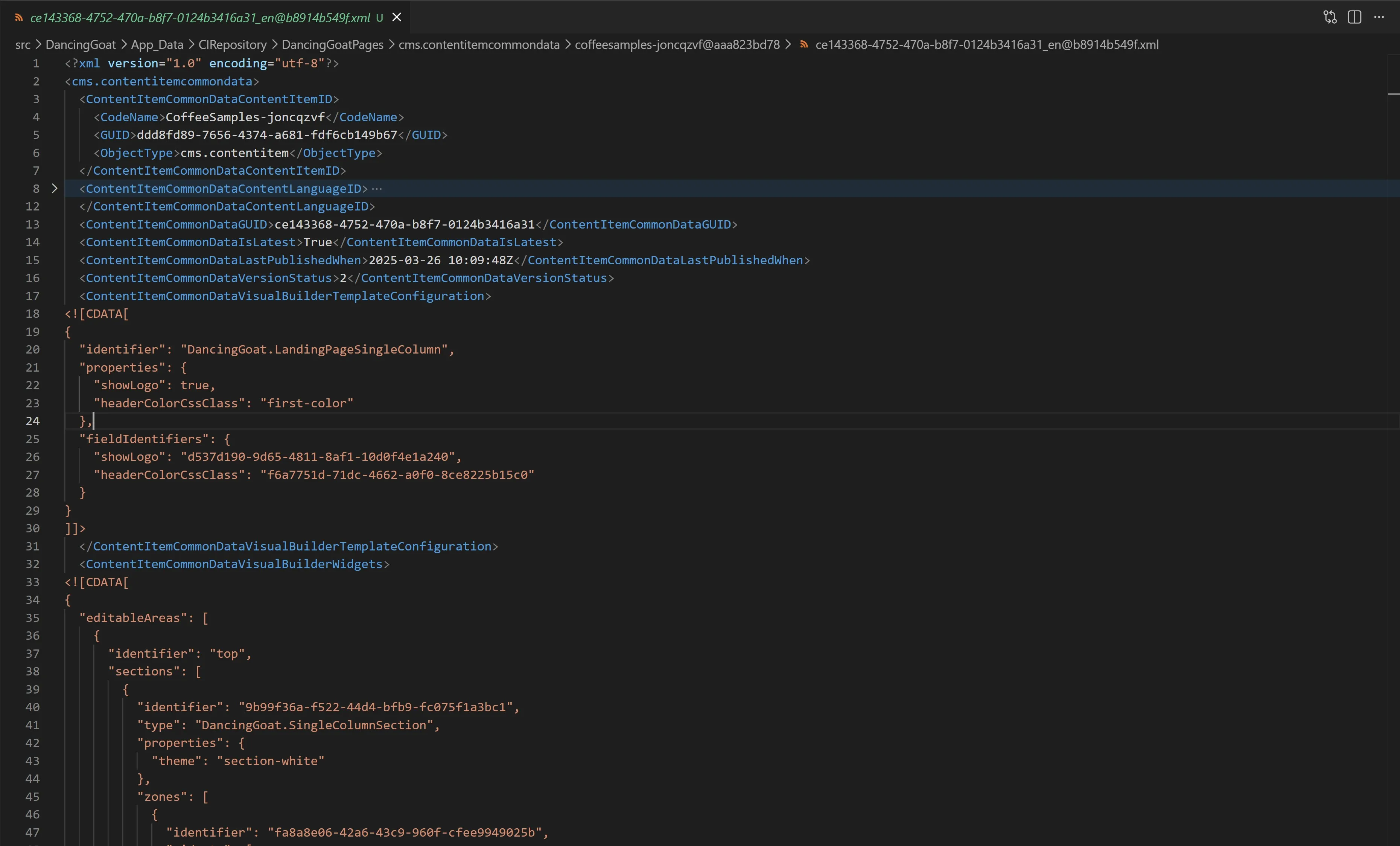
Merge conflicts are a fact of life for software developers. Even with AI agents managing more of the source control responsibilities these days, developers are still responsible for all the code committed to a project.
To reduce merge conflicts and simplify them when they do occur, we updated the formatting of visual builder JSON configuration in the Xperience database, which can be seen after updating content items using the Email Builder or Page Builder or when serializing CI/CD data to the file system.
This JSON is now pretty-printed, making it easier to read and simpler for developers and AI agents to resolve line-level merge conflicts.
Clearer DNS troubleshooting with improved DNS diagnostics for SaaS
Businesses use a wide variety of domain registrars, DNS management services, web application firewalls (WAFs), and proxy servers, each handling a different part of website traffic delivery.
DNS is a foundational technology of the internet, and configuring it is a key step in launching a new Xperience by Kentico SaaS project.
We noticed that customers often couldn't identify when a DNS configuration issue was being caused by the Xperience Portal or by their 3rd party DNS management provider. This resulted in repeated domain validation requests, processes that seemed to get stuck, and general frustration.
In many cases, the root cause is provider-side DNS configuration, but customers still need faster, clearer guidance to launch projects quickly.
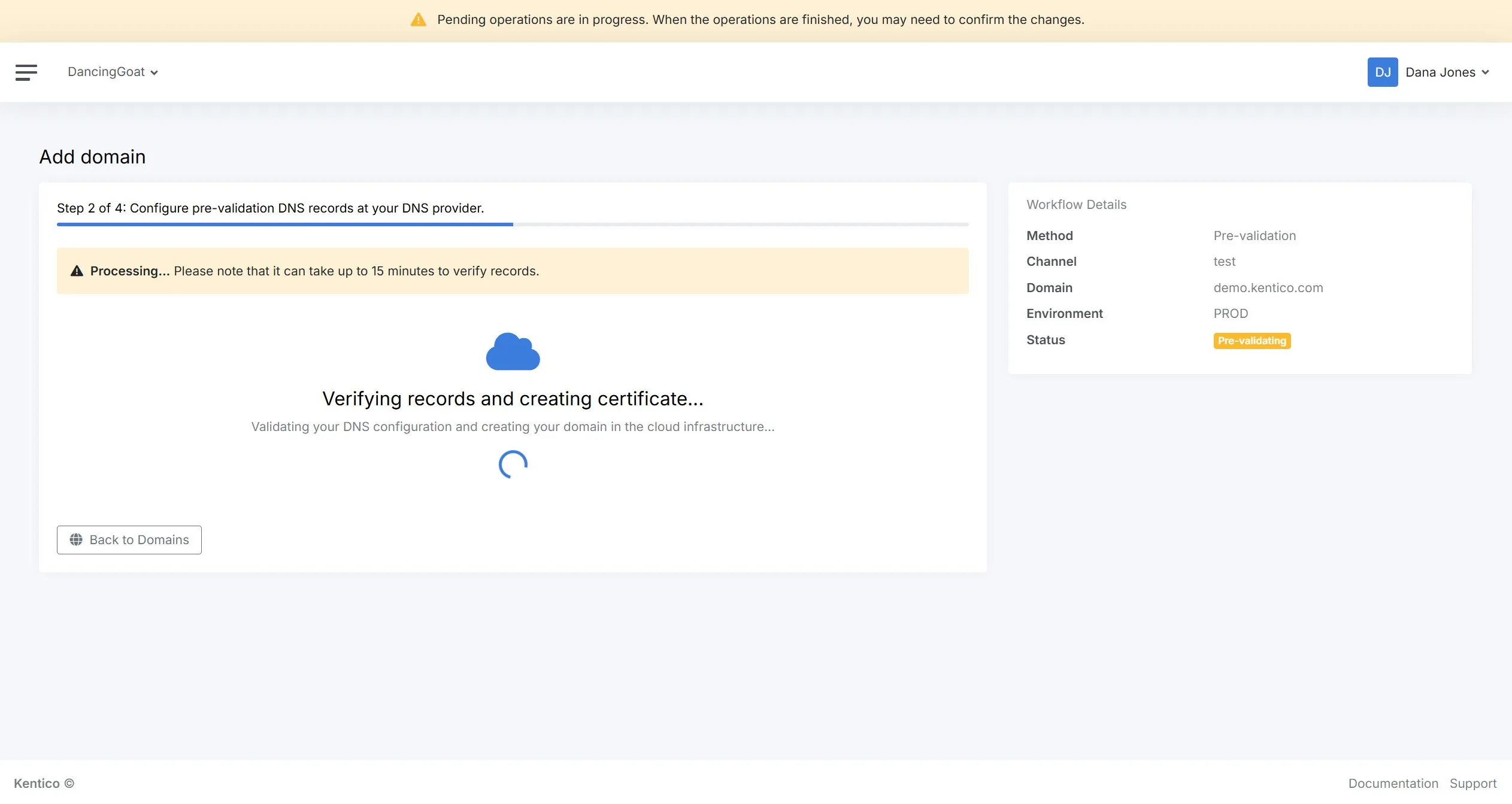
We recently deployed updates to the Xperience Portal that improved the website domain validation process required for launching new website channels.
When adding or validating custom web domains, the system now returns more specific error messages explaining the status of the validation process and the DNS records causing the validation failure.
Custom domain configuration was improved to provide a clearer and more reliable validation and activation flow for custom website channel domains, website channel domains with minimal downtime, and custom email channel domains.
We also added a new page to our SaaS documentation guiding users through the DNS configuration process for custom domains.
These updates provide better guidance for customers, increase confidence in the Xperience Portal UI and validation process, and help diagnose issues which means digital experiences go-live even faster.
What's next?
As always, check out our documentation Changelog for the full Refresh feature and technical details.
We hope these new capabilities, features, and API improvements unlock solutions for you. Try them out and let us know what you think.
What's planned for the next Refresh?
Marketing Automation Extensibility - Custom Triggers, enabling developers to prepare ready-to-use automation trigger steps for marketers.
Marketing Automation Extensibility - Custom Conditions, extending automation flows with custom branching logic based on rich context.
These updates will, as always, accompany a number of UX and developer-focused improvements.
Check back soon for the next Xperience by Kentico Refresh announcement.
For the technical audience, this Refresh is represented by v31.6.0 of Xperience by Kentico.

Kentico Community
The Kentico Community