New Developer Training: Execute your Upgrade to Xperience by Kentico
Upgrades are critical moments when developers need the clearest guidance.
We've just released a new developer-focused learning path that walks you through the complete technical steps for upgrading from Kentico Xperience 13 to Xperience by Kentico: environment setup, data migration, examples of code adjustments, and customizations to the Kentico migration tool.
Who is it for
Developers in the upgrade hot seat – new to XbyK, jumping into a running upgrade project, or getting ready before a customer build.
For upgrade planning and strategy, see the Upgrade Overview module we prepared for solution architects and team leads.
What you'll learn
- Set up source and target environments with the Kentico migration tool
- Run iterative migrations and customize for advanced scenarios
- Migrate widgets, hierarchies, custom code, and integrations
- Implement content remodelling to take full advantage of Xperience features
- Adapt your code to new APIs in Xperience
...and more.
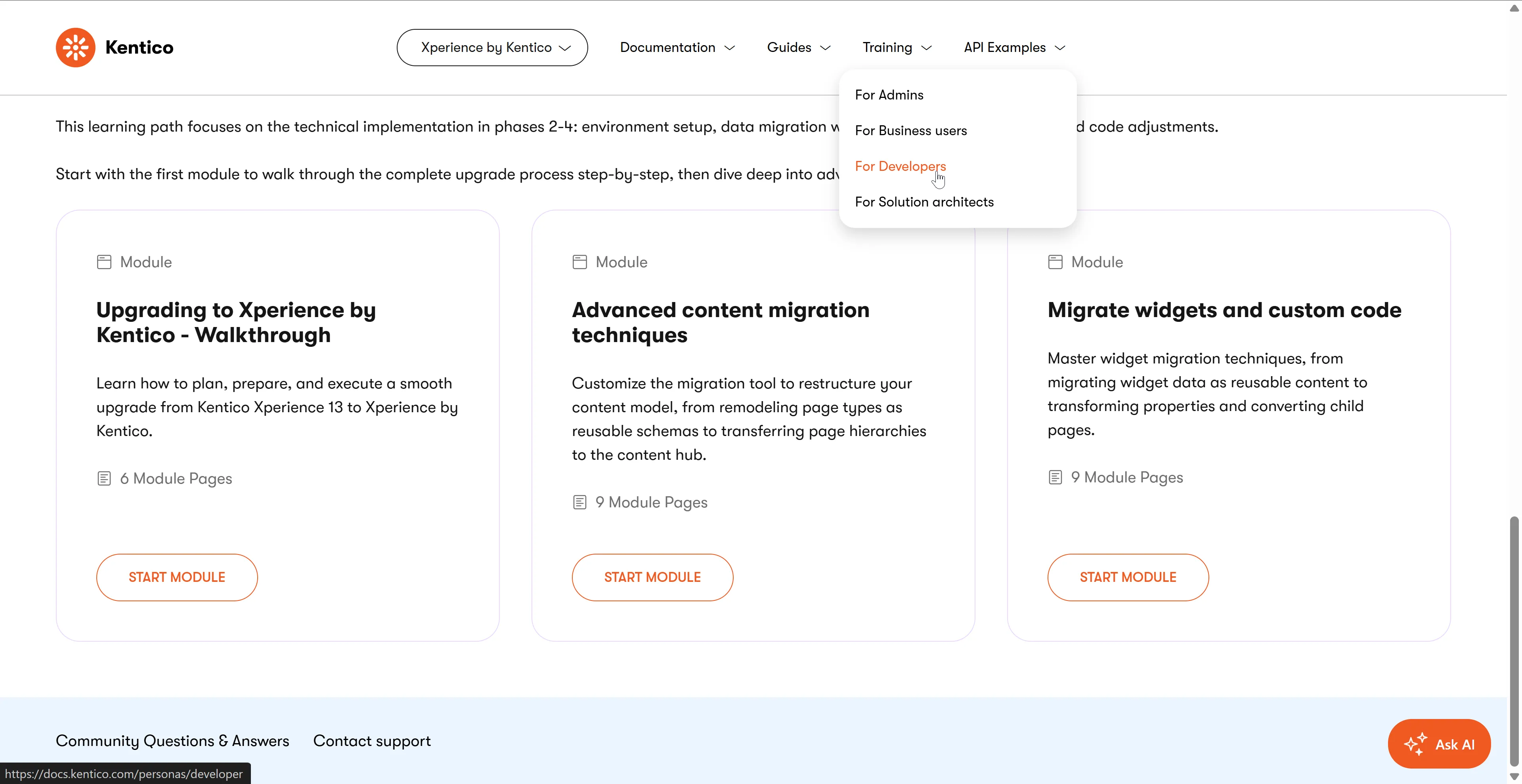
Inside the learning path
Upgrading to Xperience by Kentico – Walkthrough
Hands-on walkthrough using the Kentico Migration Tool and Dancing Goat sample site. Migrate pages, run the tool, and adjust backend code without redesigning your site.
Advanced Content Migration Techniques
Tackle content model restructuring, scenario planning, and AI-assisted remodeling for complex migrations.
Migrate Widgets and Custom Code
Master widget migration options, modernize page builder components, and enhance the Xperience by Kentico editing experience.
Ready to start?
👉 Upgrade to Xperience by Kentico – development and execution
Missing a scenario or a piece of information? Use the Send us feedback button after each module to tell us what scenarios you want covered next.