
E2E testing Xperience's Administration UI: Extension with Confidence
Developers value Xperience by Kentico’s administration extension model and the freedom it provides to adapt the UI to each project’s needs for data integrations, marketer workflows, administrative oversight, and power-user features.
When development teams use AI to ship updates quickly, it can boost marketer productivity and impact. But if marketers are unfamiliar with Xperience by Kentico’s Refresh cadence, that speed can trigger flashbacks of painful upgrades, buggy tools, and daily disruption.
Administration extensions are only useful if they work reliably. How can developers maintain speed to market while ensuring quality and confidence?
The answer is low-cost, high-impact automated end-to-end (E2E) testing.
This post was written for Xperience by Kentico v31.6.0. Consult the documentation for feature or API changes when using a different version. Be sure to check the System Requirements in the product documentation.
Wait, didn't Kentico already test this?
Before we go further, there’s an important question to address.
Why write E2E tests for Xperience by Kentico's administration UI? Doesn't Kentico already do this for us? How is this not duplicated effort?
I’m not suggesting you write E2E tests to confirm that Page Builder works, that marketers can create customer journeys, or that developers can search the event log. That would be duplicated effort because Kentico already covers those scenarios as part of our product development.
However, you are responsible for testing all code in your project, including administration extensions.
Helpful context
A previous article already covered the value of automated E2E tests for customer experiences in Xperience projects. Membership experiences especially benefit from E2E tests because they are multi-step and stateful, and unit tests cannot simulate them with high fidelity.
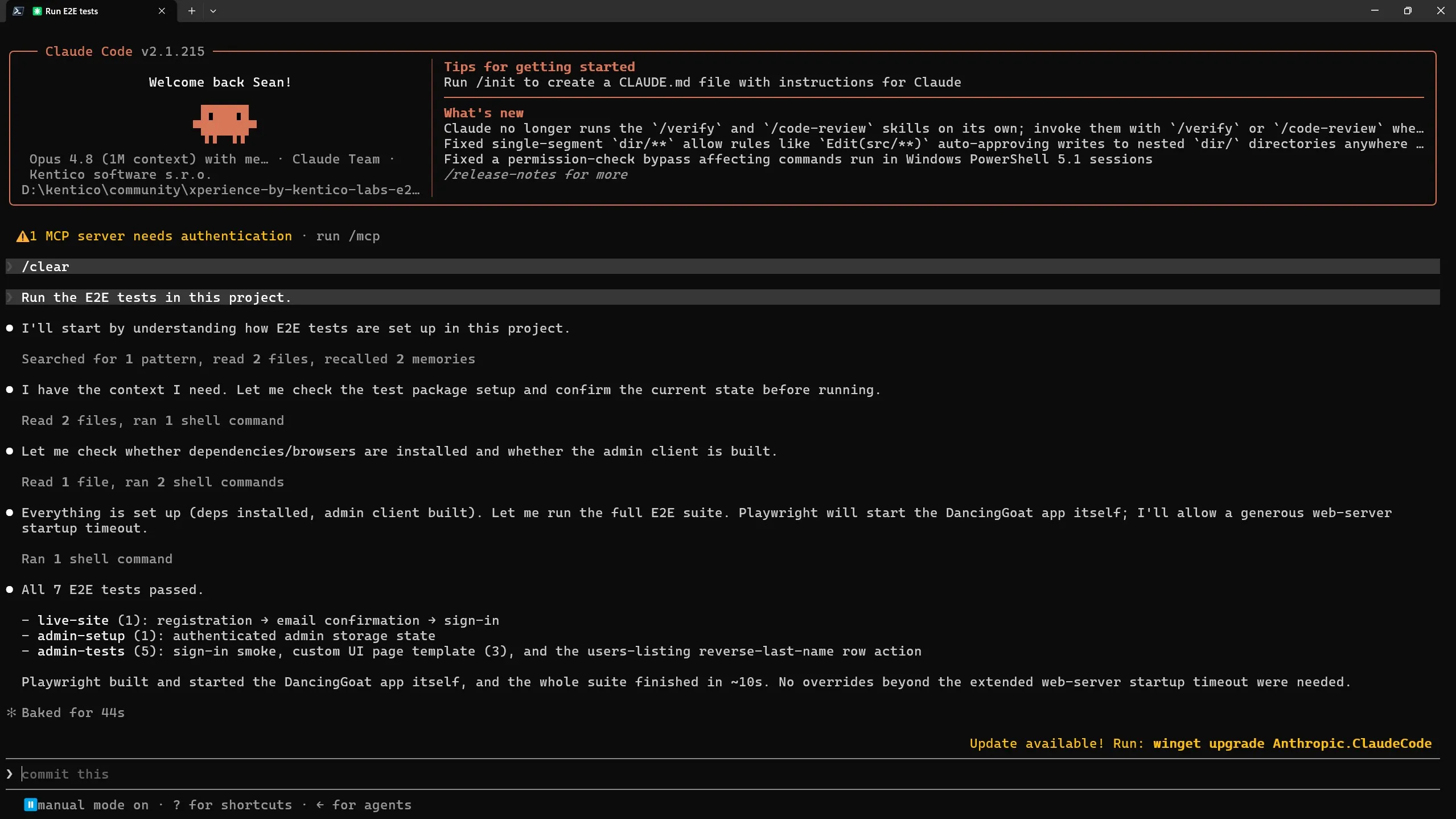
We even walked through the entire toolchain setup process in a Dancing Goat application, using Playwright and AI agents to write our test code for us.
Read that article first if you haven’t already, since it sets the context for what we’ll cover here.
We can build on that work to add administration UI E2E tests to the Dancing Goat sample project, because these new tests will use the same tools and general technology and approach:
- Add Playwright (TypeScript) to an Xperience by Kentico solution.
- Provide our AI agent with context to run Xperience, access the administration UI, and discover the UI we want to test.
- Prompt the agent to author the Playwright E2E test using the context it collected.
You can review the final implementation details at the original Xperience by Kentico Labs: E2E Testing repository which has been updated for this article.
Configure your project
If you read the previous article and followed along with project and Playwright setup, you’ll only need minor structural changes to the test tooling for administration UI testing support.
First, ask your agent to restructure the E2E test project into a feature-based folder structure so customer and admin tests stay organized:
This repository currently focuses on E2E tests for membership experiences (website visitor experiences).
It will be updated to support e2e tests for more of Xperience's feature set - public website and administration UI. Administration UI tests require different setup scenarios, utility code, and overall structure.
Analyze the files in the e2e test folder and identify ways to better organize the test cases for a vertical slice design architecture. Organize their support functions/utilities so developers and agents don't need to scan multiple directories when working on a specific feature.
Admin auth is supported with Playwright's
storageStatefeature. See: Authentication | Playwright
- The admin login page is accessible at
http://localhost:21295/admin- The username and password are
administrator/Pass@12345Add an admin shell "smoke" test that successfully logs into the administration UI. Use the Chrome Devtools MCP server to identify selectors and assertions.
Update the README, GitHub workflows, project configuration, and any other documentation in the project to match these changes.
Next, instruct your agent to centralize and formalize how E2E tests are configured, written, and run in the project.
You could try something like this:
This Xperience by Kentico application has a working Playwright E2E test suite for the live website membership experiences.
I want to add E2E tests for the administration UI following the official documentation: Administration interface UI tests | Xperience by Kentico Documentation
Also review the Administration UI extension documentation: Extend the administration interface | Xperience by Kentico Documentation
Review the existing project configuration, tests, documentation, and tools.
Document this setup for AI agents and developers so they understand:
- How the tests are organized
- How to configure the environment (which vars, what they mean)
- Why building the admin client assets is a prerequisite
- How to run the application and tests locally
- What practices to follow when writing admin UI selectors
- How to add new admin UI test scenarios
The document should assume they already have Playwright installed and the project has successfully run.
Store this document as
/docs/Admin-E2E-Testing.md
We will use this context document later. You can also point to it when instructing AI agents how to create, run, and fix tests.
Take a look what I generated in the example repository if you want inspiration.
Create skills for repeated agent-driven tasks
When we add significant features, we should add E2E tests to validate them. As we’ve seen, agents can quickly discover UI navigation and author Playwright test code for you.
Because this is repeatable work, it’s a strong candidate for a custom skill and structured agent context.
We can separate the work we want our agent to do into two distinct steps:
- Discovery: Follow high-level instructions on how to navigate a web UI (public facing or administration), using the Chrome Devtools MCP server, and find the UI elements to interact with. Record all the technical details of those steps as context.
- Generation: Take the context generated from discovery and generate a passing Playwright E2E test with.
These could be combined into a single skill, but longer and more complex scenarios will require more context/tokens and have a higher chance of running into problems.
The Step → Context artifact → Step design lets us run generation with fresh context, relying only on the context artifact, improving the context quality for the agent.
We may also want to review discovery output to confirm the right behavior is being tested, make corrections to the context, or re-run the discovery process.
Below are example prompts I used in Claude Code with the /run-skill-generator skill to generate the discovery and generation skills. Your agent harness will have its own way to help you craft skills like these.
In the previous article we simply prompted the agent to perform the tasks we wanted, like validating the member experience registration flow or writing the Playwright test to automate it.
Why didn't we turn that prompt into a skill the first time we used it?
In my opinion, it would have been classic premature optimization. It's not always obvious what is a prompt for one off discovery and what becomes more useful as a skill. As we saw above, some project organization was needed to set the stage for future automation.
Consider creating a skill:
When you notice yourself asking an agent to do the same thing over multiple sessions.
When you notice the agent trying to perform a complex, non-deterministic operation repeatedly.
After a long session with a single agent or a session that orchestrates and fans out into sub-agents. Ask the agent to help you identify good skill candidates from these sessions.
E2E test discovery skill
/run-skill-generator
Create a new skill "e2e-test-context-discovery"
It expects an administration UI or customer website experience interaction scenario from a user.
The scenario should clearly describe the pages to navigate to, and UI elements to interact with, but may not include all the details of data to submit or HTML element selectors to use to find elements.
The output of running this skill will be a document which will be used as context for another agent to write a Playwright E2E test for the scenario. However, this skill should only focus on completing the scenario and context collection.
Either store the project setup and run instructions in the skill or link to them in the repository.
Here are the steps the skill should help the agent complete:
Start and run the project.
Use the Chrome dev tools MCP server to follow the user's scenario and discover how to interact with the website in the instructed manner and accomplish the whole workflow.
Record the technical details of the interactions (HTML selectors, navigation, data submissions) in a markdown file that the user can review.
By default, store the file in the tests/e2e/scenarios folder.
Name the file according to the scenario - [SCENARIO].e2e.md
- If the application cannot be started or accessed, stop and report the issue to the user.
- If the user does not provide enough context to complete the scenario, stop, record progress in the Markdown document, and report what blocked exploration.
The generated skill can be found in the sample project repository.
E2E test generation skill
/run-skill-generator
Create a new skill named 'e2e-test-generate'.
This skill requires a scenario context document generated by the 'e2e-test-context-discovery' skill. The document describes the technical details of the navigation and interactions required to complete the scenario.
This skill takes that document as an argument and generates a passing E2E Playwright test. the test should be organized in the tests/e2e subfolders according to the persona it is simulating and the feature it is testing.
The tests in these folders are organized into "feature" folders so developers and agents don't need to scan multiple directories when working on a specific feature. Follow the vertical slice design for test organization.
Translate the scenario context document steps into Playwright code through this process:
Review each step.
Identify how navigation, selectors, events/actions, and delays translate into readable Playwright code and assertions.
Organize the overall scenario into a coherent test.
- If new, reusable, utility functions or configuration help keep the Playwright test code readable, create that code
Validate the test passes. The scenario context document was previously validated to accurately describe all required steps and context to complete the scenario.
- If the test does not pass, iterate on resolving the problem up to 3 times. If the test still does not pass, report the issue to the user and stop.
Review the generated test and scenario context, then suggest to the user 3 ways to improve the test coverage if key scenarios are missing, or simplify the test if it is overly prescriptive or too detail-focused.
Note that I use the last step in this skill's tasks to review the generated test code and make suggestions. I could also add this kind of review to the discovery skill.
Performing an AI review of plans, code, and architecture is easy to overlook and undervalued in my opinion. Challenge your own assumptions and learn something new.
The generated skill can be found in the sample project repository.
Although I use skills constantly and even regularly create my own, I haven’t iterated enough on skill creation to be confident I know the best instructions for an agent creating a skill for me.
I've found the Skill authoring best practices from Anthropic to be very helpful when I create or review skills. Claude Code's /run-skill-generator skill already includes a lot of this information, but not all of it.
It's worth reviewing the best practices yourself so your skill creation prompts can also be well designed. You can also ask a clean-context agent to review your skills using the best practices and review any recommended updates.
You describe the scenario, let AI do the rest
With these new skills, project structure, and documentation, we can proceed with agent-generated Playwright tests.
The Admin UI customization boilerplate .NET template includes two admin UI extensions:
- Custom template with a React layout component that requests time from the server
- Page extender for the users list page that adds a "Reverse custom last name" action to each row item
We will cover the second scenario with our new skills.
First, use the /e2e-test-context-discovery skill and provide the instructions you would share with a co-worker to describe how to use the "Reverse custom last name" feature:
/e2e-test-context-discovery
Scenario: Admin UI users list "reverse last name" action
- Log into the Xperience administration UI as administrator
- Navigate to the Users application
- When the users list loads, ensure there is at least 1 user record
- Record the Last name and Custom last name values of the first user row
- Click the 3-dot row context menu at the end of the first user row in the Actions column
- Select the reverse last name action
- Verify the Custom last name value for the user record has been reversed
Depending on your MCP server configuration, you may see a Chrome browser open and perform page navigation and UI interactions.
The agent will use wait, inspect, screenshot, and JavaScript evaluation tools to act like a normal user, collecting all the interaction details along the way.
Once the context document is generated, we can hand it over to a new agent session using the next skill:
/e2e-test-generator users-reverse-last-name.e2e.md
This should produce a passing test suite that covers original customer-experience scenarios and new administration-extension tests.
If you are interested in seeing an example of all the source code created by the prompts and skills above, with both customer experience and administration UI E2E testing as part of a CI validation workflow, check out the v2.0.0 release of the Xperience by Kentico Labs: E2E Testing GitHub repo that accompanies this article.
Where to go from here?
Sometimes when you gain new technology capabilities the most immediate question is, "How do I use these in my existing workflow?" Well, here are a few ideas:
- If you are working in your own Dancing Goat project, you could test the new skills to create a test for the user list page extension feature.
- Try Matt Pocock’s wayfinder or grill-with-docs skills to review your codebase and identify high-priority customer or admin workflows missing E2E coverage.
- Include test creation as a requirement in any large improvement or bug fix task you assign to an agent
As AI accelerates delivery, confidence in your team from your stakeholders becomes a powerful advantage. Treat E2E tests as a release gate, not an afterthought.
Using these skills your team can ship admin extensions quickly without sacrificing reliability.

Sean Wright
I'm Lead Product Evangelist and part of the Developer Experience division at Kentico. I work to help our community understand the strategy and value of Xperience by Kentico, with a focus on developers building digital experience solutions. I'm also responsible for Kentico's Community Programs.